The status report that answers back.
Static slides start five follow-up calls. Pocket PMO turns your tracker or notes into a live report with a clickable plan, open and closed RAID, and a host who knows the story behind the numbers, so sponsors get answers without booking you. Plus the PDF and PowerPoint, from the same report. No migration. One report free, including sharing and downloads for that report. Extra drafts allowed; upgrade for more reports at £15 a month.
We changed how reports are created, sent and read
A chatbot gives you bullet points. A project tool gives you an export that doesn't fit on a page. This gives your sponsor something they can actually use.
Created
From the notes you already have
Paste notes or drop your tracker. The ratings, milestones, RAID and asks are pulled out for you to check. Nothing is made up; gaps are flagged.
Sent
One report, three ways
A live link for people who want to click in, a one-page PDF that actually fits, and an editable PowerPoint for the meeting that still wants slides.
Read
With a host who knows the story
Add what you would say in the room. Your host, Alex or your own face, uses it to answer "why is this Amber?" and logs anything it cannot answer back to you.
Don't take our word for it. Ask one. Open a sample report and ask the host what a sponsor would ask.
Ask a sample reportOne upload, three outputs
See exactly what you get
Three steps
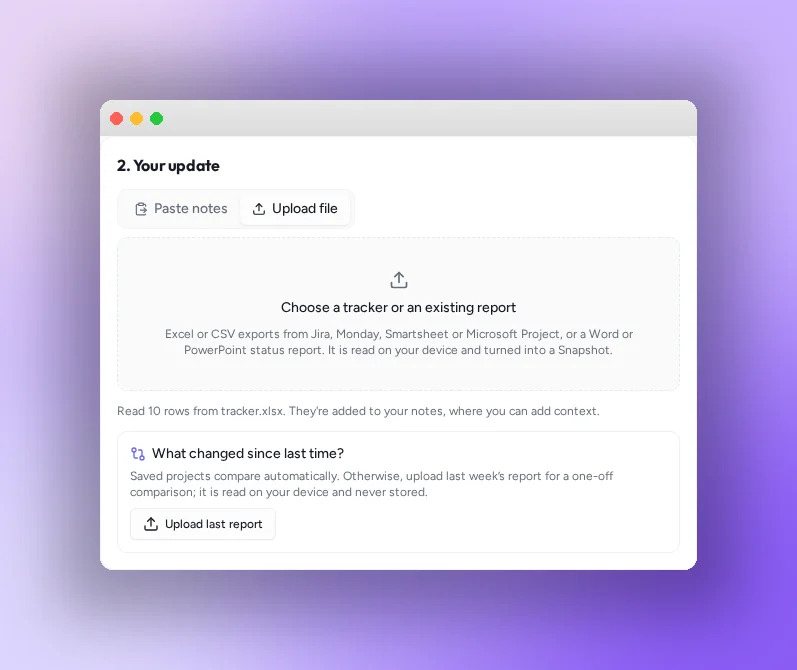
1Drop in your tracker or notes
Excel or CSV from Jira, Monday or Smartsheet, a Word or PowerPoint report, or pasted meeting notes.
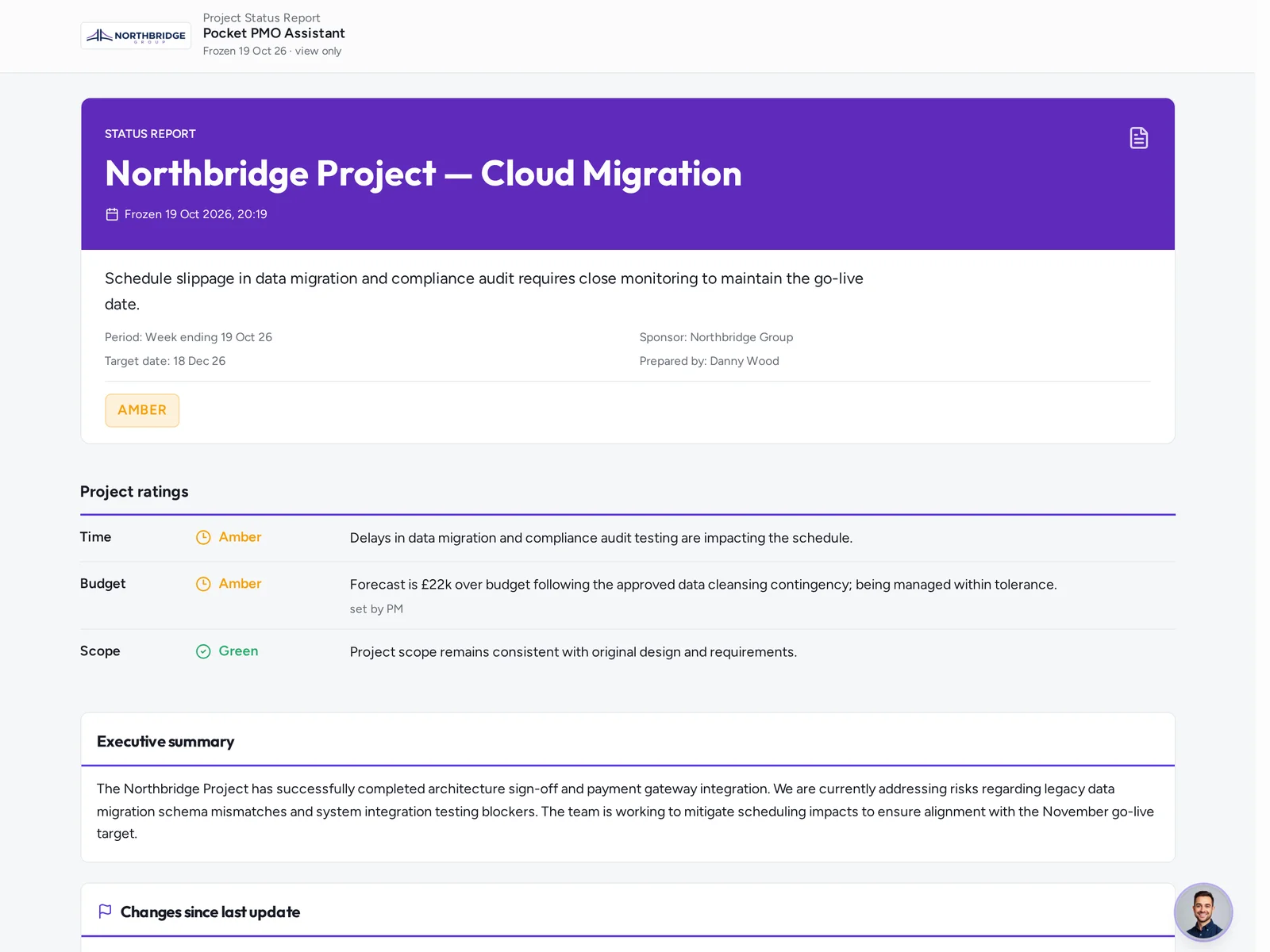
2Check the draft
Ratings, summary, milestones, budget and RAID, drafted only from what you gave it. Edit anything before approving.
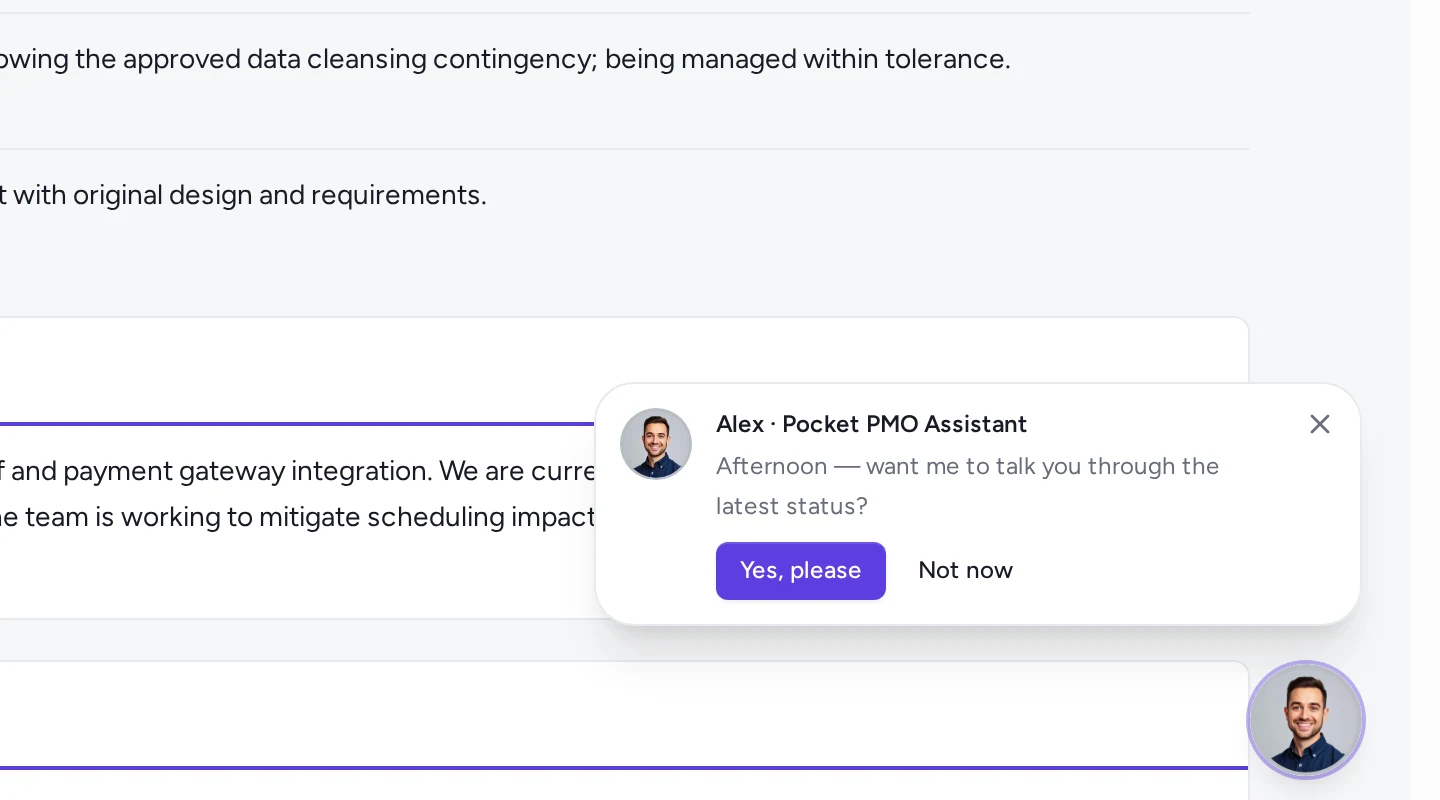
3Share one link
Invite-only by default: only people you invite can open it, using a passcode emailed to them. No account needed. They can ask your personalised assistant questions. PDF, Word and slides too.
Try an example
Open a sample report, ask its host a question, then try your own notes. No signup.
Works with what you already use
Columns are picked up automatically, whatever they're called. No integration, nothing to migrate. Single projects or a whole portfolio.
- Wipe after download: nothing private is kept. Never used to train AI.
- Or save privately and keep weekly history for up to 2 projects.
Want to run projects live with the full lifecycle? Pro includes everything in Assistant. Compare plans.
Assistant
£15/month
or £150 a year. Cancel any time.
- AI status packs from pasted notes or a CSV/Excel tracker
- Shareable web Snapshot reports with company branding
- Personalised report host and optional reader questions
- AI RAID log extraction
- Project documents from your own context
- Gold Pass PDF and Word downloads
- Wipe local drafts or save privately; publishing stores the report
- Save up to 2 projects with weekly history
- 250 AI credits per month
Questions people ask
Do I have to move my projects?
No. Keep Jira, Excel, Monday or Smartsheet. Export or paste what you have each week; nothing is synced or pushed back.
What happens to my data?
Choose Wipe after download: no private pack is saved, and the draft clears when you wipe it or after 15 minutes idle. Or save privately for week-on-week comparison. A Snapshot you publish is stored separately until you delete it.
Can it do a portfolio report?
Yes. Upload a tracker with several projects for an overall RAG, active projects, pipeline and portfolio-wide risks and decisions. The Snapshot and report exports include project detail; the executive brief summarises up to ten active projects.
How is this different from ChatGPT?
It keeps your project consistent week to week, shows what changed, checks RAID quality and gives stakeholders a branded link they can question.
Send this Friday's update from the tracker you already have
One report free, with sharing and downloads for that report. Extra drafts allowed; upgrade for more reports. No card.